[http://microscopy.unc.edu/top.html]
Volocity - 3D & Time Lapse Viewing, Analysis, Quantitation,
Tracking and Deconvolution
Note: This information page is available on line at:
http://microscopy.unc.edu/Volocity
|
- NOTICE: The
MHMF Volocity License
Server was taken off line on Friday Jan
09 2015
- Current status:

- August 2015 - The Cell Biology
Volocity License Server is now behind the SOM firewall
Robert Currin Cell Biology &
Physiology should be contacted
about getting an account for your lab. to use Volocity
|
|
This page is for historical purposes and contains useful
information
 What is Volocity:
Volocity v6.3 (Perkin Elmer/formerly Improvision/new ) is a 3D and time lapse (4D) imaging program
for:
- Volume visualization - volume rendered, ray tracing, orthogonal views,
maximum projection, stereo, VR
- 3-D/4-D Image processing
- Analysis
- Object measurement
- Tracking (including 3-D)
- Co-localization
analysis in 2-D or 3-D
- Deconvolution - blind or measured point spread function for confocal or
widefield microscopes
- Stack realignment
It can use data from diverse sources such as confocal
microscopes & widefield microscopes.
Volocity can easily import z-series &/or time lapse image sequences with
from the Zeiss
510/7x0 or Leica SP2/SP5/SP8 or Olympus FV1000/1200 or Biorad or Perkin Elmer
confocal programs with meta data, C-Imaging data, as well as .tif and
other image format image
series.
Where can it be Used:
Volocity is installed on the image processing workstations in the Michael
Hooker Microscopy Fellowship:
-
\\Schott
(this computer is temporarily on vacation) high performance work stations - (Windows
7 - 64 bit, 8 GByte RAM, 1 GB OpenGL
video)
- On your computer! You will need to have a dedicated
account to use the Volocity license server.
Volocity runs on Macs, Windows 32 & Windows 64 bit. Obtain the appropriate Volocity software from
the Perkin Elmer
Volocity web site, install it, and connect to the license server. For adequate
performance your
computer should have sufficient RAM (>= 4 GBytes and a high performance
OpenGL video card. Volocity installation software version 6.3 can
be also downloaded from the
\\minsky.med.unc.edu\Users2\1-softwares/Volocity
file server (MHmicroscopy account required).
Who Can Use Volocity:
Users will need to arrange to have obtain this software (see just above) before being able to use the
license server. Most users will use the user name and
password issued by Cell Biology & Physiology (Robert Currin). Much analysis only
requires one license and not two or all three. The
Volocity
LE viewer and image database organizer is free, but an account
and connection to the license server is required.
License Availability:
Available individually on a first come first
served basis to users with Volocity accounts.
Licenses availability is shown on the license server web page:
http://152.19.37.206:5900
- Available Modules (please choose selected modules carefully in order to
have the desired features available):
- Combined Modules
- Volocity
Vis
&
Quant
- 3D rendering and measurement, tracking & co-localization
- Volocity
Vis
&
Restor -
3D & Deconvolution
- Volocity
Vis &
Quant
& Restor -
Deconvolution
|
Volocity license availability:
http://152.19.37.206:5900
|
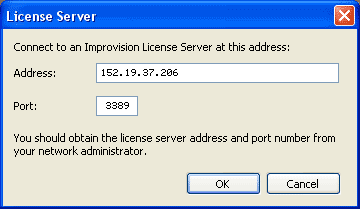
- Volocity uses an on line license server to assign a user license
instance to run the program. See section 1. below.
- Users who have not used Volocity via the license server should contact
facility personnel to obtain an account.
- Volocity 6.3 latest available manual:
- Version 6 manual
- From Perkin Elmer/Improvision/Volocity web site :
-
Application examples from Improvision
1. Using Volocity
2. Access to Volocity (Accounts)
- New accounts available from Cell Biology & Physiology
3. Links:
[http://microscopy.unc.edu/bottom_back.html]