Michael Hooker Microscopy Facility (MHMF.ORG)

|
|
Michael Hooker Microscopy Facility (MHMF.ORG) |
|
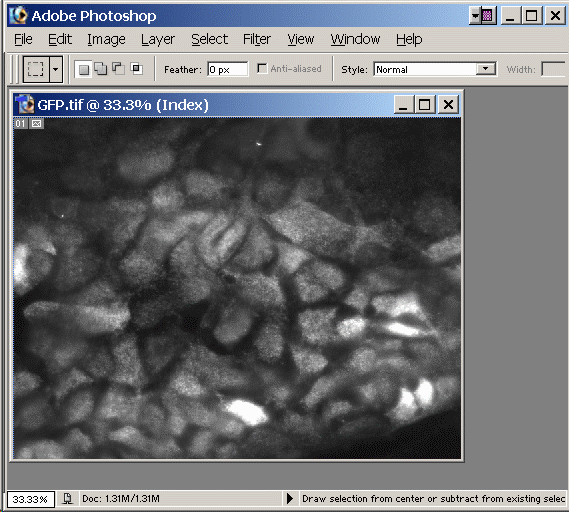
Converting B/W Image into color using Photoshop
Assuming the starting image is gray scale (b/w) and 8 bit. (Details will be different for 16 bit images or RGB images).
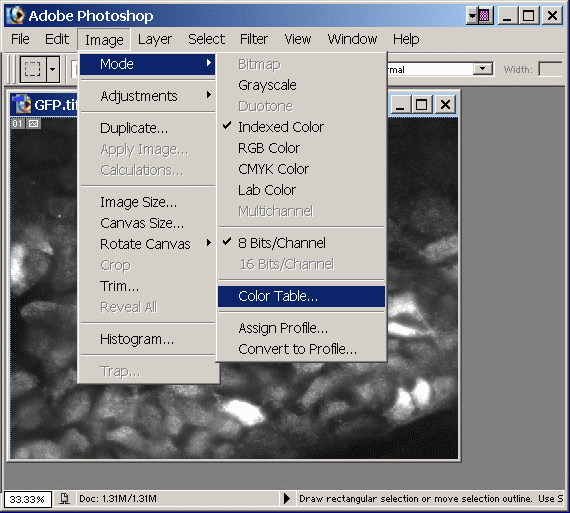
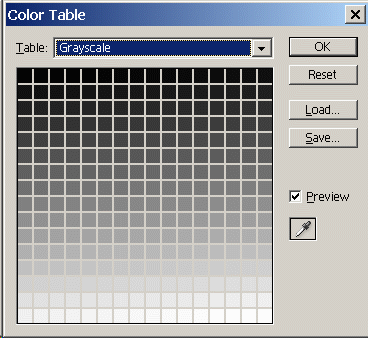
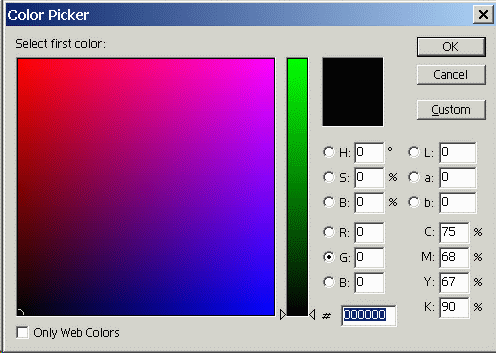
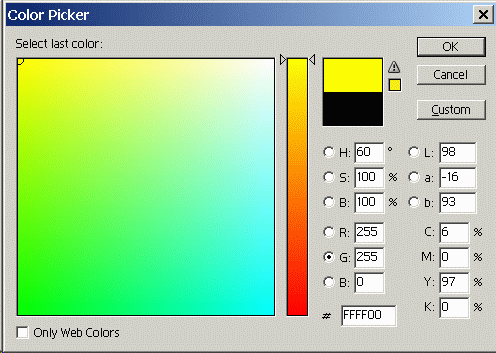
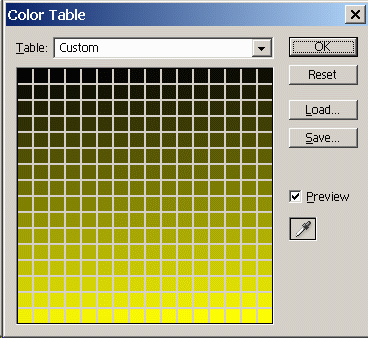
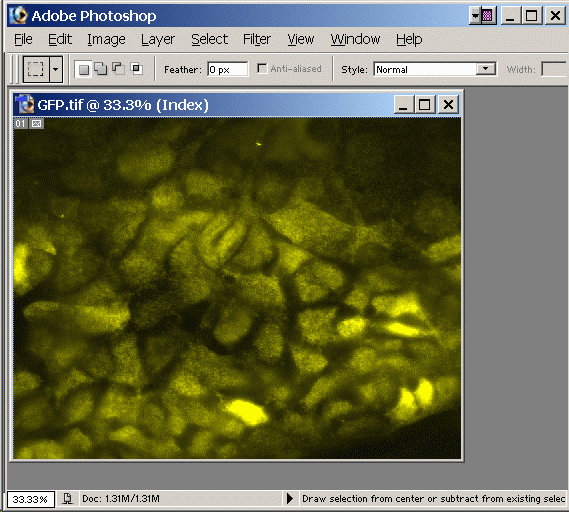
Done - Image is now colorized.
Do File -> Save as to save new colorization
Caution: Index color images sometimes get distorted when they are resized.
|
|
 |
Copyright 2001-2015 Dr. M. Chua, School of Medicine, University of North Carolina, Chapel Hill, NC 27599 |
| Go Back | Booking Resources |
Questions/comments/problems: Michael Chua |
|
|
Last Updated: 2014-07-24 |